
For a small first store, start with a one-site shared WooCommerce plan that supports current WordPress and WooCommerce requirements, daily backups, SSL and clear renewal pricing. A growing store usually needs staging, more storage and stronger resource limits. A busy store should look at managed WordPress or cloud hosting, where support, scaling and backup options matter more than the lowest first-term price.
The useful comparison is not only the monthly figure. Check the full amount due upfront, the renewal price, storage, traffic rules, staging, backups, support, data-center location and resource limits. Prices below are US prices checked November 7, 2026.
Key takeaways
- Match the plan to product count, storage, traffic, integrations and the cost of checkout problems.
- Treat a low monthly figure as a monthly equivalent when the provider requires annual or multi-year prepayment.
- Confirm WordPress 6.9+, PHP 8.3+, a supported database, HTTPS and at least 256 MB of WordPress memory.
- Keep Cart, Checkout and My Account outside full-page caching.
- Ask about backup frequency, retention, restoration cost, staging and whether orders copy safely to staging.
- Read refund, cancellation, renewal, acceptable-use and fair-use terms before paying.
Choose a WooCommerce host by store size and risk
A starter store usually has one site, a modest product catalog, normal traffic and no known traffic spikes. For that store, a lower-cost shared plan can be enough if it includes current PHP and database versions, SSL, daily backups and support that can help with WordPress issues. GreenGeeks Lite or Hostinger Managed WooCommerce Unlimited fit this starting point, but their commitments differ. GreenGeeks Lite uses a 12-month term, while Hostinger’s displayed price requires 48 months paid upfront.
A growing store needs more than storage. It may need a staging site for testing updates, more server resources, several sites, frequent changes or more room for product images and order data. SiteGround GrowBig adds staging and on-demand backups to its shared plan. Hostinger Cloud Startup adds more storage and cloud-plan resources, but both options have a higher renewal cost than their introductory figures.
A busy store has substantial traffic, active promotions, many orders, complex integrations or a high cost when checkout fails. Cloudways suits an owner who wants managed cloud deployment with pay-as-you-go billing. Kinsta suits a business that accepts a higher price for managed WordPress infrastructure, daily backups, staging and 24/7 human support. Neither plan removes the need to check resource limits and application behavior.
Treat provider performance language as a provider claim. Ask for the numeric limits on the selected plan, including CPU, memory, entry processes, storage, visits, bandwidth and overage rules. Match the plan to current storage, resource, staging, backup and traffic needs, then ask how the host handles expected peaks.
What server requirements must your store meet?
WooCommerce 10.8 and later recommends WordPress 6.9 or newer, PHP 8.3 or newer, MySQL 8.0 or newer or MariaDB 10.6 or newer, HTTPS and at least 256 MB of WordPress memory. Apache or Nginx is recommended. WordPress.org separately recommends PHP 8.3 or newer, MySQL 8.0 or MariaDB 10.11 or newer, HTTPS and Apache or Nginx with mod_rewrite.
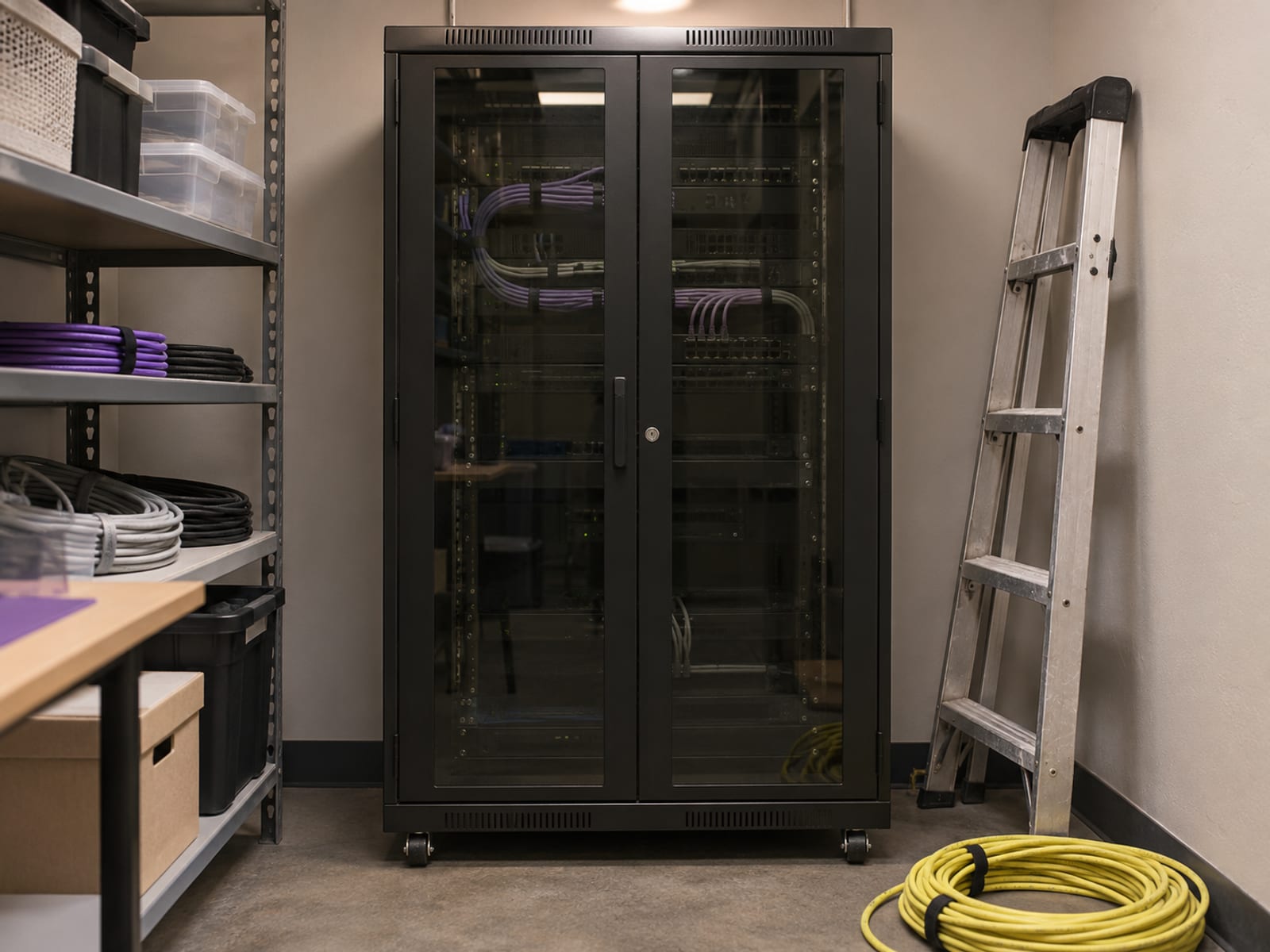
Some stores also need cURL or fsockopen, SOAP for certain extensions, multibyte-string support for non-English stores and suitable SQL settings. Confirm these requirements with the host before moving an existing store, especially if it uses payment, shipping, tax, subscription or inventory extensions.
WooCommerce pages are not all ordinary pages. Cart, Checkout and My Account display customer-specific information, so they should stay outside full-page caching. WooCommerce also uses cookies and sessions for cart contents and recently viewed products. A CDN, firewall or reverse proxy must handle those requests without serving stale responses.
Before you pay, ask the host to confirm that the selected plan supports the current WooCommerce and WordPress requirements, HTTPS, at least 256 MB of memory and cache exclusions for Cart, Checkout and My Account. Ask whether the host will help apply those exclusions or whether you must configure them yourself.
Which plans fit a small, growing or busy store?
The shortlist below is sorted by fit for the kind of store, not by a speed ranking.
GreenGeeks is the clearest low-cost one-site entry when 25 GB is enough and a 12-month payment is acceptable. Hostinger provides more listed WooCommerce features at a lower displayed effective rate, but the four-year prepayment changes the commitment. SiteGround GrowBig is the more direct shared-hosting choice when staging and on-demand backups matter, though its standard price is much higher.
Cloudways is the flexible cloud choice because the displayed billing is hourly or pay-as-you-go, but the final bill depends on the selected infrastructure and add-ons. Kinsta is the conditional managed choice for a business that places more value on managed WordPress service than on the lowest price. See Kinsta’s current managed WordPress plans.
What will each plan cost up front and at renewal?
A monthly equivalent is not always a monthly charge. Hostinger’s $2.79 figure describes a 48-month term with $133.92 due upfront, and GreenGeeks’ $1.95 figure describes a 12-month term with $23.40 due upfront (12 x $1.95 = $23.40). SiteGround’s $1.99 StartUp figure describes a 12-month term with $23.88 due upfront (12 x $1.99). All of these are Black Friday sale prices checked on November 7, 2026, and the intro prices change when the sales end, so confirm the amounts at checkout. Compare the amount paid today with the amount due at renewal. Prices checked November 7, 2026.

The paid hosting term is separate from a money-back window or free trial. GreenGeeks lists a 30-day money-back guarantee. SiteGround lists 30 days for shared hosting and 14 days for cloud hosting, with domain fees, paid support and third-party services excluded. Cloudways’ three-day period is a free trial, not a money-back guarantee. Kinsta describes a first-30-days-free offer for selected plans, and overages can still apply.
Read the current Hostinger refund terms before ordering and confirm that the selected term qualifies. Review the current GreenGeeks refund and renewal terms before paying. SiteGround’s cancellation and refund requests use the Client Area, subject to its stated conditions. Confirm every provider’s current refund, cancellation and renewal terms before purchase.
What should you check for cart, checkout, SSL and PCI?
Use HTTPS across the whole store, especially checkout. Confirm that the SSL certificate is active on the store domain and that payment, account and cart requests do not switch back to insecure HTTP.
A host’s “SSL included” statement does not make the store PCI compliant. WooCommerce says the store owner remains responsible for PCI DSS compliance even when the payment gateway is PCI compliant, and the core WooCommerce plugin is not itself PCI certified.
A hosted payment field or redirect can reduce the amount of card data handled by the store. WooPayments says its hosted fields come from a PCI DSS-validated environment and that it does not store card numbers or CVCs on the store. You still need secure hosting, updates, access controls, vulnerability management and a secure checkout setup.
Before launch, confirm the payment processor’s PCI questionnaire and validation requirements. Check that WordPress, WooCommerce, themes and payment plugins can be updated, and use strong, unique administrator passwords with suitable access levels. Ask the host what firewall and malware controls apply to the selected plan.
What do backups, staging and migrations really cover?
A backup is a copy, not a promise that every order will be recovered without data loss. Ask how often backups run, how long they are retained, where they are stored, how restoration works and whether restoration costs extra.

Staging is a separate copy used to test updates before they reach the live store. Ask whether staging is included, whether orders are copied to staging, whether customer data is copied, how staging is protected and how changes move back to production. Kinsta provides one standard staging environment for each WordPress install and states that staging is for development and testing, not live production. Kinsta includes daily backups, allows manual backups and lists hourly and external-backup add-ons.
SiteGround’s shared plans include daily backups, while GrowBig adds on-demand backups. Hostinger Managed WooCommerce Unlimited lists daily backups and staging. Hostinger Cloud Startup lists daily and on-demand backups and staging. Ask each provider for the plan-specific retention period and restore process rather than treating “daily backups” as a complete backup policy.
A migration may move WordPress files and databases without confirming that payment gateways, shipping, tax, email, cron jobs or third-party integrations work afterward. Make a backup before changing a live store. Before switching DNS, test products, coupons, customer accounts, checkout, order notifications and email delivery on the new host.
“Unlimited” traffic does not mean unlimited CPU, memory, storage or server processes. GreenGeeks lists 25 GB, 50 GB and 100 GB storage caps on Lite, Pro and Premium. Hostinger says unlimited features are subject to its Fair Usage Policy. Kinsta bills extra disk at $20 per month for each additional 20 GB, so review the disk limit if the media library could grow. Prices checked November 7, 2026.
Shopify or WooCommerce for this store?
Shopify is the simpler choice when you want hosting, SSL, checkout and platform infrastructure bundled into one service. Its US comparison page lists Basic at $29 per month when billed yearly, or $39 per month on monthly billing, with hosting included, checked November 7, 2026.

WooCommerce is the more flexible choice when you want WordPress control and are prepared to select and manage hosting, updates, plugins, backups and security. WooCommerce itself is a free, open-source WordPress plugin, so the hosting bill is separate.
Choose Shopify when a bundled service and fewer infrastructure decisions matter most. Choose WooCommerce when control over WordPress, themes, plugins, content and hosting matters more. Website builders, design tools, domain registration, email hosting, security tools and SEO plugins can work alongside either decision, but each added service brings its own price, updates and support terms.
What should you do before moving or paying?
Write down the store’s product count, current storage use, expected traffic, payment gateway, email needs, integrations and staging requirement. Then compare the plan’s number of sites, storage, backup frequency, retention, support channels, data-center location, migration scope and resource limits.
Ask the host for the numeric limits that apply to the selected plan. Ask whether the advertised monthly figure is a real monthly charge or a monthly equivalent based on annual or multi-year prepayment. Confirm the current plan details and renewal price on Hosting.com’s US WooCommerce sales page before paying. Review the live Bluehost WooCommerce sales page and Renewal Center before purchase.
If you already have a store, make a backup before changing the live site and plan the final order-data check. Before switching hosts, follow the steps to move a WordPress site to a new host. If you are still comparing hosting types, use the checklist for choosing a web host. For the wider cost of building and running the site, compare the costs of a small-business website.
Frequently asked questions
Start with the question that matches your store’s immediate decision. The short answers below separate platform choice, hosting fit, technical requirements and plan limits.
Is Shopify or WooCommerce better?
Neither is universally better. Shopify bundles hosting, SSL and platform infrastructure, while WooCommerce gives you more WordPress control but requires you to choose and manage hosting, updates, plugins, backups and security.
What is the best web hosting for WooCommerce?
The right host depends on store size and risk. GreenGeeks or Hostinger can fit a lower-cost first store, SiteGround GrowBig fits a growing store that needs staging and on-demand backups, Cloudways fits pay-as-you-go cloud hosting and Kinsta fits a business willing to pay more for managed WordPress service.
Which big companies use WooCommerce?
WooCommerce’s official showcase names Scrub Daddy, Van Leeuwen, Mint Mobile, Caribou Coffee, Hidden Valley Ranch, Nutribullet and La Marzocco. Those examples show that large companies use WooCommerce, but they do not prove that the same hosting plan fits a smaller store.
How much WordPress memory does WooCommerce need?
WooCommerce 10.8 and later recommends at least 256 MB of WordPress memory. Confirm that the host supports this limit and that your payment, shipping and other extensions do not need more.
Should Cart, Checkout and My Account be cached?
They should stay outside ordinary full-page caching because they display customer-specific information. WooCommerce uses cookies and sessions for cart contents and related data, so incorrect cache rules can show stale information or interfere with checkout.
Does free SSL make a WooCommerce store PCI compliant?
No. SSL protects the connection, but it does not cover PCI compliance, secure plugin configuration, access control or payment integration. Confirm the processor’s PCI requirements separately.
Does unlimited traffic mean unlimited hosting resources?
No. “Unmetered” or “unlimited” traffic does not remove storage, CPU, memory, inode or fair-use limits. Check the numeric limits for the selected plan and workload.
Do I need staging for a small WooCommerce store?
You may not need it on the first day, but staging becomes useful when updates, payment plugins or custom integrations could interrupt sales. Ask whether staging is included, whether orders are copied and how changes return to the live store.
Are daily backups enough?
Not by themselves. Ask how long backups are retained, where they are stored, how restoration works and whether it costs extra. Keep an independent backup before a migration or major update.
Is a free domain free forever?
Usually, a free domain covers registration for the stated initial period only. Check the renewal price and whether the promotion applies to the term and extension you plan to use.
Can a migration guarantee that checkout will work?
No. A migration may move files and databases without confirming payment, shipping, tax, email, cron jobs or third-party integrations. Test the complete purchase path before changing DNS and after the new store is live.
Find more reviews and guides on Even Reviews. Spotted something to correct? Contact us and include the page title.