
DataForSEO fits you best when you need SEO data inside your own workflow and want to pay for requests instead of a monthly dashboard. Start by choosing the endpoint, processing mode, location, result depth, and billing unit, then estimate the number of tasks, keywords, pages, rows, or prompts you will send.
The minimum account top-up is $50, but it is not a monthly charge. It becomes account balance, does not expire, and can be spent across DataForSEO APIs. New accounts receive $1 in API credit, while the free Sandbox provides sample responses for larger integration tests. Prices checked November 11, 2026.
Key takeaways
- DataForSEO has no recurring API subscription. You pay from an account balance.
- The minimum top-up is $50, and unused funds do not expire.
- Standard processing costs less than Priority or Live processing, but results take longer.
- Billing may be per task, keyword, page, request, returned row, result page, or external LLM charge.
- Calculate the exact endpoint, depth, geography, device, and returned data before funding the account.
What are you paying for with DataForSEO?
You are paying for access to individual SEO data services, not for web hosting, a website builder, email, or a finished SEO dashboard. DataForSEO describes its Google Ads data as coming from Google Keyword Planner, Bing Ads data as coming from Bing Ads, and Labs data as aggregated from Google SERPs and keyword databases. Its Backlinks product uses its own backlink index.
The practical difference is control. You can send a small number of requests from your own script, agency tool, reporting system, or AI workflow without taking on a recurring software plan. That can cost very little for occasional keyword research or a small backlink check. It also means you must build or pay for the parts a monthly SEO platform normally supplies, such as storage, charts, scheduled reports, filtering, user access, and historical data management.
DataForSEO separates services into families. Keywords Data includes Google Ads, Bing Ads, Google Trends, and DataForSEO Trends. DataForSEO Labs includes keyword, domain, search intent, historical rank, and traffic-related endpoints. Backlinks charges for requests and returned rows. OnPage charges for crawled pages and optional processing such as JavaScript, browser rendering, screenshots, and content parsing.
AI Optimization is a separate group. DataForSEO documents LLM Responses, LLM Scraper, AI Keyword Data, and LLM Mentions as different services. The charge may depend on keywords, tasks, result pages, returned rows, or the selected external language model.
The first step is to write down what you actually need. Count the keywords, SERPs, pages, domains, rows, prompts, or result pages. Then confirm whether the endpoint supports Standard, Priority, or Live processing and whether location, device, depth, operators, JavaScript, browser rendering, or another paid parameter changes the price.
Which DataForSEO API prices apply to your endpoint and processing mode?
Choose processing mode before comparing prices. DataForSEO describes Standard processing as averaging about five minutes with a 45-minute target. Priority averages up to one minute, while Live averages up to six seconds. These are provider turnaround descriptions, not a promise that every request will finish within that time.
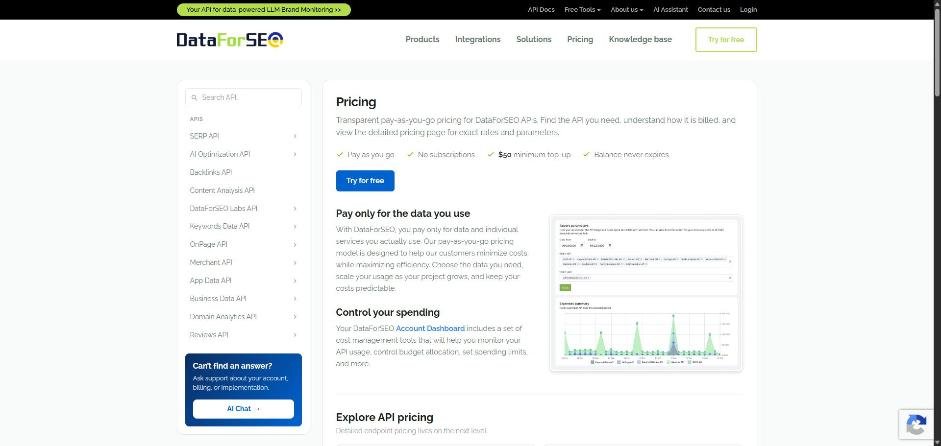
The billing unit matters just as much as the unit price. A task is a submitted job, while a returned row or crawled page is data produced by that job. Combining keywords into one permitted task can cost less than sending the same keywords as separate tasks.
The following figures are displayed in dollars, with prices checked November 11, 2026.
A Backlinks request returning 1,000 rows costs $0.06 under the displayed pricing. A request can return up to 1,000 rows, so a deeper audit can increase the row portion even when the request count stays the same.
OnPage shows why optional processing deserves its own calculation. A basic crawl costs $0.00015 per page, while browser rendering costs $0.0051 per page. JavaScript, screenshots, resource loading, and content parsing can each add another charge. Before sending a large crawl, decide whether the report needs rendered output or only the basic page crawl.
AI Keyword Data deserves a separate confirmation before purchase. The displayed rate is $0.0001 per keyword, but DataForSEO’s pricing page or account dashboard should be treated as the current place to confirm that rate and any related conditions.
The July 1, 2026 pricing update removed the former $100 monthly commitment for Backlinks and LLM Mentions. Both are now described under pay-as-you-go billing, so the amount you spend depends on the requests and returned data you use.
What would rank tracking, keyword research, and backlink audits cost each month?
For a small workflow, DataForSEO can be much cheaper than a monthly SEO platform. The tradeoff is that the example covers API usage only. Your own application, storage, scheduling, reporting, and support still have their own costs.
Suppose you track 500 keywords weekly in one location. Four checks per month produce 2,000 SERPs under the stated assumptions. The example costs $1.20 per month with Standard processing, $2.40 with Priority, or $4.00 with Live processing. The choice changes how quickly results are returned, not the number of keywords being tracked. Prices checked November 11, 2026.
For keyword research, 20 topics can fit into one Google Ads task because the endpoint accepts up to 1,000 keywords per task. One Standard task costs $0.06, while one Live task costs $0.09. If you send each topic as a separate task, the monthly total becomes $1.20 Standard or $1.80 Live. This is why task design affects the bill.
A backlink audit of 10 domains shows the effect of returned rows. If each domain uses one request and returns 1,000 rows, the request fees total $0.24 and the 10,000 rows add $0.36, for a total of $0.60. If each audit uses only a summary request with no billable backlink rows, the request portion is $0.24.
Put together, Standard rank tracking ($1.20), one Standard Google Ads keyword task ($0.06) and the larger backlink audit ($0.60) come to $1.86 of API usage. Optional parameters, extra locations, more devices, deeper results, and separate tasks can raise that amount.
Treat these figures as planning examples rather than a fixed monthly quote. Before production use, compare the exact endpoint, result depth, quota, geography, device, and billing unit. For high-volume usage, ask DataForSEO for a current quote and set account or endpoint spending limits.
Is DataForSEO cheaper than Semrush, Ahrefs, or SE Ranking?
DataForSEO is usually the lower-cost choice for a small, specific API workload. Semrush, Ahrefs, and SE Ranking charge recurring fees for broader software packages that include dashboards, projects, rank tracking, audits, keyword tools, backlink features, and built-in limits.
The displayed comparison figures below use the terms available on November 11, 2026.
Semrush Pro includes five websites, 500 tracked keywords, and 100,000 crawl pages per month. Ahrefs Starter lists 200 monthly credits, one unverified project, and 50 tracked keywords, while Ahrefs Lite lists 750 tracked keywords at $129 per month. SE Ranking Core includes 2,000 tracked keywords daily, 10 projects, and 25,000 API credits. Prices checked November 11, 2026.
That comparison is not one-to-one. DataForSEO gives you data access and API infrastructure. A monthly platform gives you a finished working environment. If you need a dashboard and regular reports without building them, the subscription may fit better even when individual API calls would cost less.
For the next decision, compare DataForSEO with Semrush and Ahrefs based on the workflow you want to operate, not only the headline price.
Which limits can change your DataForSEO bill?
Your estimate can change when the request retrieves more data than the first calculation assumed. Google Organic returns up to 10 results by default, and search operators such as site: and intitle: can multiply the base charge by five. The max_crawl_pages setting also charges for every page crawled.
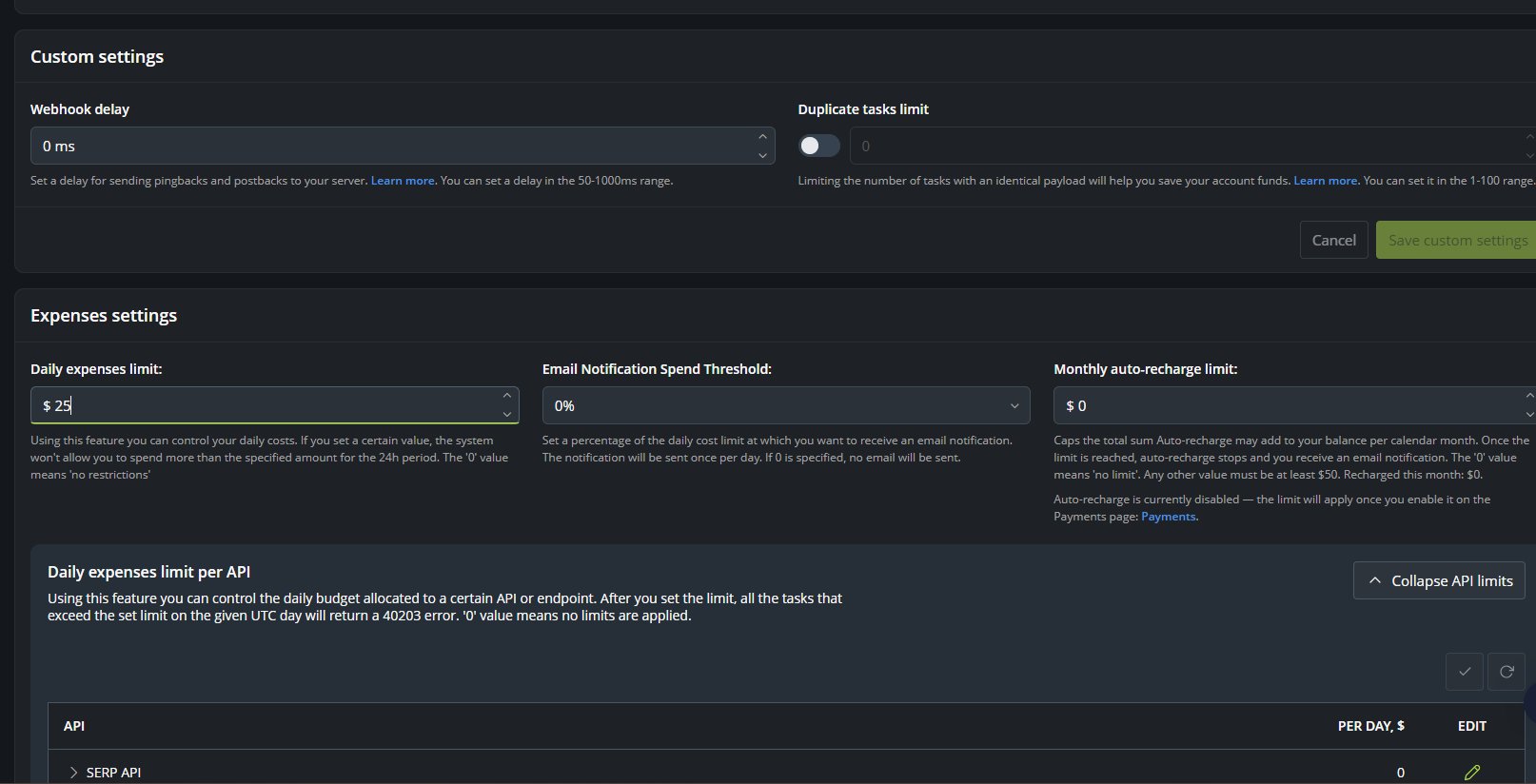
DataForSEO Labs generally limits returned keyword or domain items to 1,000 per request. Backlinks charges for every returned row and allows up to 1,000 rows per request. OnPage charges by crawled page, with browser rendering costing much more per page than a basic crawl.
The request structure matters too. Google Ads accepts up to 1,000 keywords per task, Bing Ads accepts up to 200, and Google Trends accepts up to five. Sending more separate tasks can increase the task portion even when the total keyword count stays the same.
LLM Mentions charges by task and returned row. Its documentation lists a 2,000-calls-per-minute limit and a maximum of 30 simultaneous requests. LLM Responses adds the external language model’s own charge to DataForSEO’s task fee.
Rate limits differ by API and appear in endpoint response headers. Keep those limits in your workflow, especially if you are sending requests in batches. Before paying, confirm location, device, depth, returned rows, operators, JavaScript, browser rendering, and any paid parameters. If a test is larger than expected, stop the batch, review the request settings, and rerun a smaller request rather than assuming the original estimate still applies.
What did our own requests actually cost?
The published rates are easier to trust next to a real balance. On November 11, 2026, we sent a Google Ads search volume lookup for three keywords live in the API Playground, and it cost $0.09 (prices checked November 11, 2026). The task price covers up to 1,000 keywords, so three keywords paid the full task fee. A second request, for one keyword through the MCP connection in Claude Code, moved our balance from $50.91 to $50.82, which is also $0.09. One keyword or 1,000, a live task costs the same, so batch your keywords.
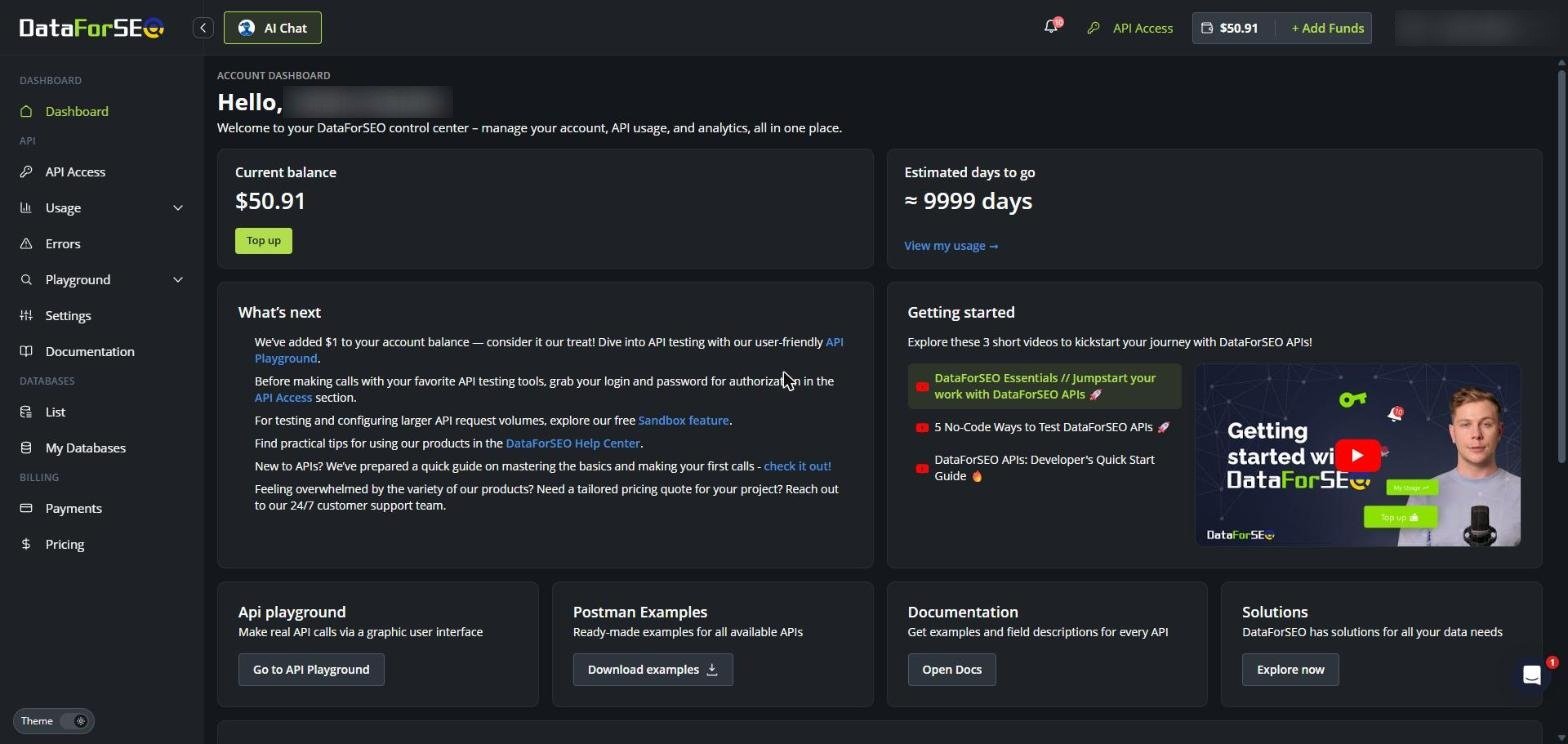
Failed calls cost nothing. A request with keywords separated by new lines returned error 40501 and a request with a stale password returned 40100, and neither one reduced the balance. The $50 minimum top-up cost $53.30 at checkout once Paddle added sales tax, so plan for slightly more than $50. The daily expenses limit defaults to $1,000, so lower it under Settings before you connect an automated workflow.
How do the trial credit, minimum deposit, refunds, and account rules work?
The $1 new-account credit is a limited trial credit, not a free monthly allowance. DataForSEO says it can be used for an unlimited period, but it supports only a limited number of paid calls. The Sandbox is separate and provides sample responses for larger development tests. Prices checked November 11, 2026.
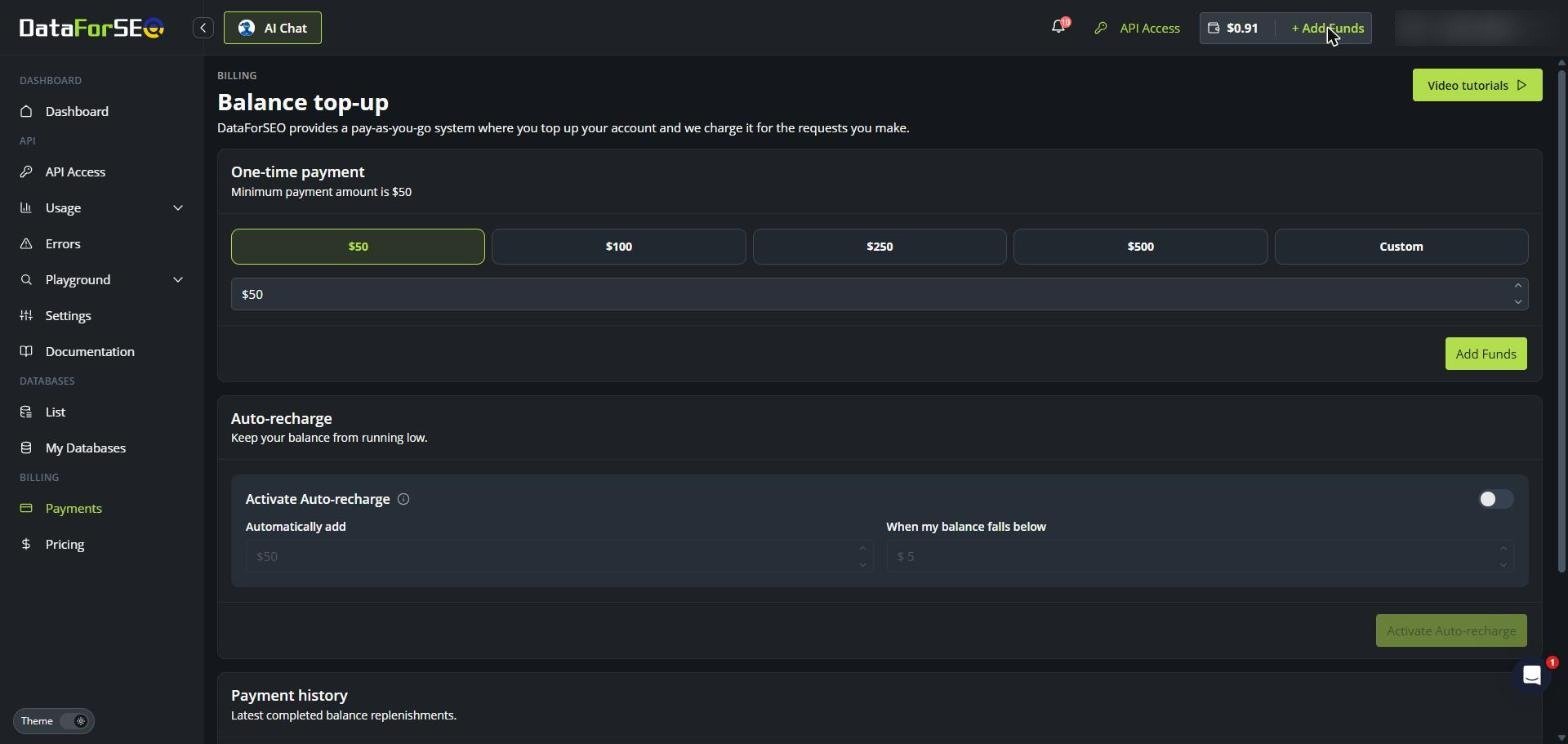
The minimum top-up is $50. That amount becomes account balance, and DataForSEO says unused funds do not expire. There is no ordinary API subscription renewal. Optional auto-recharge is a separate setting, so check whether it is enabled before leaving the account connected to a payment method.
DataForSEO states that a 30-day no-question refund applies to a first-time purchase of API credits. Database purchases are excluded, and repeated or identical tasks caused by customer-side integration errors are not refundable. Confirm the refund terms before paying, especially if you are purchasing a database product rather than API credits.
Duplicate trial accounts violate DataForSEO’s terms and may be suspended. DataForSEO can also refuse, cancel, suspend, or deactivate service for violations of its terms. Its terms list restricted jurisdictions, including Russia, Belarus, Cuba, Iran, Syria, Myanmar, North Korea, and Crimea and Ukrainian territories temporarily occupied by Russia.
If your workflow sends sensitive or regulated information through an AI or SEO process, ask DataForSEO about processing location and retention before sending it. Also review the selected language model’s terms. Export results you need and confirm retention and deletion requirements before closing the account, because account deletion permanently erases user data, API usage statistics, and associated data.
Should you use DataForSEO or a monthly SEO platform?
Choose DataForSEO when your request is specific, your volume varies, and you can manage the technical work around the API. A small rank-tracking, keyword research, or backlink workflow can cost only a few dollars in API usage under the stated examples. The tradeoff is that you must handle scheduling, storage, reporting, retries, rate limits, and interpretation.
Choose a monthly platform when you need a ready-made dashboard, recurring project limits, historical views, and built-in SEO tools. Semrush Pro, Ahrefs Starter, and SE Ranking Core charge more than the small API examples, but they bundle functions that would otherwise need to be built or purchased separately.
SerpApi is a closer alternative when the main need is search-result retrieval through a monthly search quota. Its free tier lists 250 searches per month, while its Starter plan lists 1,000 searches monthly for $25 on a month-to-month basis. Confirm the current annual amount at checkout if you prefer annual billing, and confirm refund terms before paying for a monthly SerpApi plan. Prices checked November 11, 2026.
The direct recommendation is simple: calculate your real API volume first. If the result is low and you already have a system that can use the data, DataForSEO is the better cost fit. If you want the software around the data, compare the full recurring commitment and included limits before choosing a monthly platform. You can also compare the cheaper ways to get Google results by API when your work is mainly SERP retrieval.
Frequently asked questions
Is DataForSEO free?
DataForSEO is not unlimited-free. A new account receives $1 in API credit, and the provider also supplies a free Sandbox with sample responses. The $1 credit is a limited trial credit, not a free monthly allowance. Prices checked November 11, 2026.
How much does DataForSEO cost?
DataForSEO has no single monthly price. The minimum account top-up is $50, the balance does not expire, and usage is deducted according to the endpoint’s billing unit. API prices can be charged per task, keyword, page, request, row, result page, or external LLM usage.
Is the $50 DataForSEO deposit a monthly charge?
No. The $50 is the minimum account top-up and becomes account balance. There is no ordinary API subscription renewal, although optional auto-recharge can fund the account again if the account holder enables it.
Do unused DataForSEO funds expire?
DataForSEO says the API balance does not expire. Export the results you need and confirm deletion requirements before closing the account, because account deletion permanently removes account data and usage statistics.
How much does SerpApi cost?
SerpApi lists a free tier with 250 searches per month and a Starter plan at $25 per month for 1,000 searches. Its public pricing also lists a Developer plan at $75 for 5,000 searches and Production at $150 for 15,000 searches. Confirm the current amount and any annual option before selecting a paid term.
What is the cheapest web search API?
There is no single cheapest choice without matching the endpoint, result depth, geography, quota, and billing unit. DataForSEO can cost less for small usage-based requests, while SerpApi provides a monthly search quota with a free tier and fixed paid plans.
What are good alternatives to DataForSEO?
Semrush, Ahrefs, and SE Ranking are alternatives when you want a recurring SEO platform with dashboards, rank tracking, audits, keyword tools, and backlink features. SerpApi is another option when your main need is retrieving search results through an API quota.
What are the key differences between DataForSEO and SerpApi?
DataForSEO bills API use by endpoint and unit, including tasks, SERPs, keywords, rows, pages, and prompts. SerpApi is structured around monthly search capacity, with successful searches counted toward the selected plan. DataForSEO suits multi-API workflows, while SerpApi suits search-result retrieval.
Can DataForSEO replace a monthly SEO platform?
It can replace selected data functions, but it does not provide the same finished dashboard workflow. You would need to supply your own storage, scheduling, reporting, user access, and analysis. A monthly platform may cost more while reducing that technical work.
What should you confirm before funding a DataForSEO account?
Confirm the endpoint, processing mode, location, device, depth, returned rows, task limits, rate limits, and any paid parameters. For AI workflows, confirm the current AI Keyword Data rate, the external LLM charge, processing location, retention terms, and deletion requirements before sending production data.
If your next decision is whether request-based data fits your broader SEO workflow, use the DataForSEO pay-as-you-go review and compare the amount you would actually spend with the monthly limits of a platform.
Glossary
Find more reviews and guides on Even Reviews. Spotted something to correct? Contact us and include the page title.