DreamHost’s self-managed VPS fits a technical site owner who needs root access, custom Linux software, persistent processes or more isolated resources than shared hosting provides. The main tradeoff is server administration: you must handle operating-system updates, security, application setup, backups and recovery.
Stack 4 starts at $8.99 a month for the first three months and then renews at $15.99 a month. DreamHost displays the monthly rate, but the full selected billing term plus taxes is charged at checkout. Before moving, check whether your problem is storage, inodes, CPU, RAM, disk I/O or software configuration. A VPS solves some limits, but it also gives you more work. Prices checked November 18, 2026.
Key takeaways
- Choose DreamHost VPS when you need root access, Docker, custom services or persistent processes.
- Stack 4 lists 2 vCPUs, 4 GB RAM, 75 GB NVMe storage and unmetered bandwidth.
- The customer manages the operating system, application stack, security and backups.
- Shared hosting can remain online after storage or inode limits are reached, but uploads and installs may fail.
- Compare the full billing term, renewal price, backup responsibility, support scope and data-centre location before paying.
What DreamHost VPS is and who needs it
If your site only needs WordPress, email and a conventional control panel, shared hosting or managed WordPress hosting may still fit better. DreamHost’s self-managed VPS is for a different job. It gives you full root access to a Linux virtual server, so you can install and configure software that shared hosting does not permit.

That can include Node.js, Python, Docker, databases, automation tools, APIs and custom background services. DreamHost’s current app library lists n8n, Node.js, Docker with Portainer, PostgreSQL, Supabase and other applications. A persistent process is a service that continues running after you close your browser, such as an automation worker or application server.
DreamHost lists Docker and KVM support, SSH and SFTP access, IPv4 and IPv6, DDoS protection, one-click applications and unmetered bandwidth. Its product information places the self-managed VPS in Ashburn, Virginia. The underlying infrastructure has a 100% uptime guarantee, but that is a contract term with its own conditions and possible credits. It is not a measured result for your application, so read it as a promise about the infrastructure, not about your site.
The tradeoff is ownership of the server work. DreamHost maintains the hardware, network and infrastructure, and provides 24/7 chat and email access through the panel. It does not manage your operating system, web server, database, firewall, users, application updates or backups on this product.
A practical verdict is simple. Pick DreamHost VPS if you can administer Linux or have someone who can. If you want DreamHost to handle more of the server environment, compare Managed VPS or managed WordPress hosting instead. The DreamHost front page is the place to confirm the product path before ordering.
DreamHost VPS plans, resources and app options
You are choosing between server capacity and the amount of work you can handle. DreamHost’s Stack plans increase RAM, storage and virtual CPU capacity, but every plan remains self-managed. More RAM does not remove the need to patch the operating system, restrict access and test restores.
Stack 4 lists 2 AMD EPYC vCPUs, 4 GB of RAM and 75 GB of NVMe SSD storage. Stack 8 keeps 2 vCPUs but raises memory to 8 GB and storage to 150 GB. Stack 16 lists 4 vCPUs, 16 GB of RAM and 250 GB of storage. Stack 32 lists 8 vCPUs, 32 GB of RAM and 450 GB of storage. All four plans list unmetered bandwidth.
NVMe describes the storage hardware. It does not promise a particular page-load time. Likewise, unmetered bandwidth describes how transfer is billed, not permission to run abusive processes or disruptive traffic. DreamHost’s acceptable-use rules restrict illegal activity, BitTorrent software, proxy software, IRC bots and abusive scripts or processes.
The root account changes what you can install. You can configure a web server, database, firewall and users, choose a supported Linux operating system and run services that need server-level access. You can also host multiple applications on one server, provided the machine has enough memory and CPU for the combined workload.
One-click apps reduce installation steps, but they do not make the server managed. You still need to review application updates, database access, domain settings, logs and security rules. For n8n, for example, the installation is only one part of the task. You also need a domain, HTTPS, user protection, workflow backups and a plan for restoring the service.
DreamHost’s self-managed VPS does not include the managed-side backup tool or managed add-ons such as DreamShield, DreamCare, Bunny CDN or the SEO Toolkit. Professional Email is not included automatically either. If your site also depends on email, record the mailboxes, DNS records and delivery settings before moving.
What it costs now and what renews later
The price decision depends on the full commitment, not only the first number shown beside a plan. DreamHost displays monthly figures for its self-managed VPS, while checkout charges the full selected billing term plus taxes. Services renew automatically unless you cancel before renewal.
These are the prices on each provider's own page, checked November 18, 2026.
DreamHost’s shared plans have a 30-day money-back guarantee for eligible shared hosting fees. The self-managed VPS does not have that standard 30-day guarantee. Monthly VPS cancellations receive no credit under DreamHost’s refund table, while yearly VPS cancellations may receive a prorated credit for unused time. Canceling a VPS permanently deletes its data.
Before payment, select the desired billing term in checkout and record the amount charged, tax treatment and renewal price. Review the checkout summary again immediately before paying. Read the current refund terms before creating a paid server, and do not treat a paid introductory term as a free tier or free trial.
When shared hosting has become too small
A shared site does not need a VPS simply because it has grown. First check the account’s storage, inode, CPU, RAM and disk I/O graphs. An inode is a record for a file or folder, so a site can have free storage while approaching its inode limit through cache files, logs, sessions, old backups, media files, node_modules folders or .git directories.

DreamHost’s current shared limits run from 25 GB to 100 GB of storage, 250,000 to 1,000,000 inodes, and 25 to 100 websites, depending on the plan. Shared MySQL databases have a documented 3 GB limit.
When storage or inode use exceeds the plan limit, the existing site can continue serving pages, but new uploads, one-click installs and other disk-writing functions may fail. Clean old backups, logs and caches before moving. If the problem is a large database, slow query or oversized media library, a VPS may not fix the underlying configuration.
DreamHost’s Resource Allocation Policy points consistently resource-heavy sites toward Managed VPS, VPS or Dedicated hosting. Persistent CPU or RAM use, high disk I/O, a need for root or sudo access, a network daemon, custom server software or long-running processes are clearer reasons to consider a VPS.
A managed option fits when the site needs more resources but the owner does not want to maintain Linux. A self-managed VPS fits when the application itself requires root access or custom services. Keep the old shared account active until the new environment has been tested and production traffic is working.
DreamHost compared with Hostinger, IONOS, Contabo, Hetzner and DigitalOcean
The right comparison starts with the application, not the brand name. DreamHost Stack 4 lists 2 vCPUs, 4 GB RAM, 75 GB NVMe storage and unmetered bandwidth. Hostinger KVM 1 lists 1 vCPU, 4 GB RAM, 50 GB NVMe storage and 4 TB bandwidth, along with weekly backups on the displayed plan.
IONOS VPS S+ lists 1 vCore, 2 GB RAM, 60 GB NVMe storage and unlimited traffic, subject to IONOS’s acceptable-use terms. Its low introductory price uses a defined term, so compare the standard price and the amount due before paying. Contabo Cloud VPS 4 lists 4 vCPUs, 8 GB RAM, 100 GB SSD and unlimited traffic subject to a fair-use policy. Its vCPU resources are shared.
Hetzner’s CX22 announcement listed 2 vCPUs, 4 GB RAM, 40 GB disk and 20 TB traffic at €3.79 per month or €0.0060 per hour in June 2024. Confirm current pricing, VAT treatment and the available US or European location in the Hetzner Cloud console before ordering. DigitalOcean’s Basic Droplet lists 1 vCPU, 1 GiB RAM, 25 GB SSD and 1,000 GiB transfer at $6 per month, with hourly or monthly billing. Prices checked November 18, 2026.
These are not equal products. Transfer allowances, taxes, location, backup tools, support scope and renewal terms change the practical value. Treat the uptime guarantee as a contract term. When you compare performance, trust an independent measurement only when it names the plan, the measurement period and the method. DreamHost's own VPS page lists features and the infrastructure guarantee, so test your application on the plan you pick before you rely on a speed expectation.
Self-managed VPS responsibilities and migration risks
Moving to a VPS changes who handles the server. You must install and update the operating system and applications, configure the web server and database, set firewall rules, create users, secure SSH, monitor logs and respond to software vulnerabilities. DreamHost maintains the physical and network infrastructure, but it does not manage the application stack.
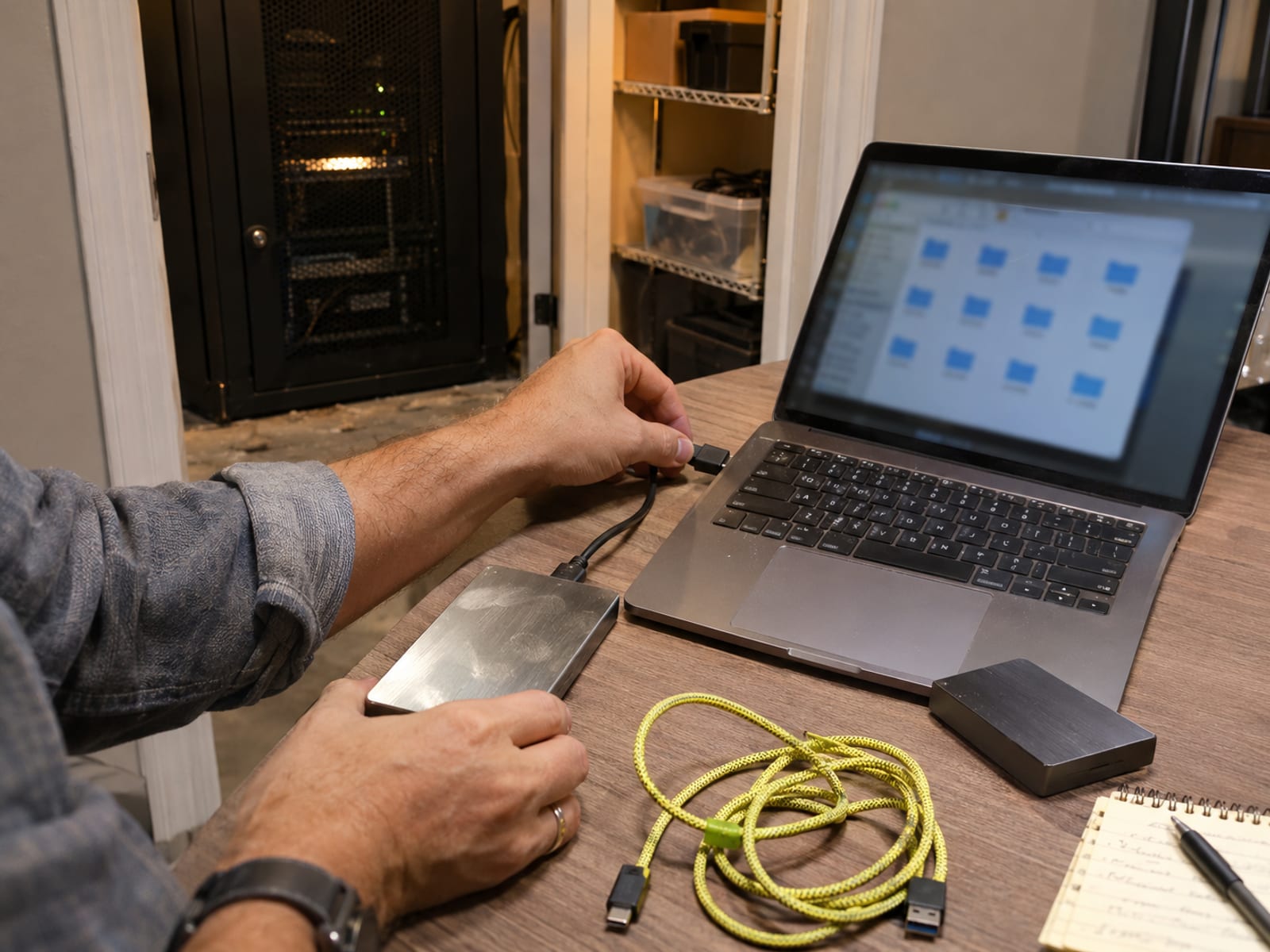
Migration also becomes manual. DreamHost says movement between shared or Managed VPS hosting and a self-managed VPS requires file and database transfer over SSH. Email does not move automatically, and Professional Email is not included with the self-managed VPS.
Prepare a complete export of files, databases, DNS records and email requirements. Create independent file and database backups, then test restoration before moving production data. An untested backup is only a copy, not a recovery plan.
The safest sequence is to build the server, create an SSH key, install the application, import a copy of the database, test the domain and email setup, and only then change DNS. Keep the old shared account active during the transition. Do not cancel it until the new server serves the site correctly and you can restore its important data.
For WordPress, also check PHP versions, extensions, scheduled tasks, uploads, rewrite rules and cron jobs. For n8n or another automation service, test workflow credentials, webhook URLs, encryption keys and persistent storage. The app may install successfully while its scheduled work or recovery process remains incomplete.
Backups, refunds, cancellation and acceptable use
The self-managed VPS does not include DreamHost’s managed-side panel backup tool, so you need an independent backup routine. Save files and databases somewhere outside the server, keep more than one recovery point, and test restoration before production data moves. DreamHost’s infrastructure protection does not replace application backups.
DreamHost’s 100% uptime guarantee applies to underlying infrastructure under contractual terms. It does not promise that a misconfigured application, compromised account, broken update or database failure will remain online. SSL protects data in transit, while DDoS protection helps with certain attacks. Neither replaces updates, access controls, malware checks or recovery copies.
The self-managed VPS is excluded from the standard 30-day money-back guarantee. Monthly cancellations receive no credit, and yearly cancellations may receive a prorated credit for unused time. Cancellation permanently deletes the VPS data, and DreamHost cannot recover it afterward.
Unmetered bandwidth is still subject to acceptable-use and stability rules. Illegal activity, BitTorrent software, proxy software, IRC bots and abusive processes are prohibited. Review the current terms before ordering, record the cancellation deadline and save your data before canceling.
What to do next: choose the right hosting model and application path
Start with the problem your shared account is showing. If storage or inodes are high, remove unused files, old backups and cache data. If CPU, RAM or disk I/O stays high, check plugins, queries, code and traffic before assuming that more server capacity will solve it.

Choose managed hosting when you want the provider to handle more of the environment. Choose a self-managed VPS when you need root access, Docker, custom services, persistent processes, Node.js, Python, n8n or several applications on one Linux server. Choose cloud billing when hourly charges and flexible server sizing matter more than a traditional hosting plan.
Write down every item that must move: site files, databases, DNS records, mailboxes, scheduled tasks, credentials, SSL settings and backups. Confirm that the selected Linux distribution supports the application. Then compare the complete first-term payment with the renewal price, included transfer, backup responsibility, support scope and data-centre location.
If the decision is still between shared hosting and a VPS, read the guide to shared, VPS and cloud hosting. If automation is the reason for the move, follow the steps for self-hosting n8n on a VPS. Before changing providers, use the steps to move a WordPress site to a new host, and keep the old service until the migration works.
For a standard business or blog site, DreamHost shared or managed WordPress hosting is usually the simpler choice. For a custom Linux application, DreamHost Stack 4 is a reasonable starting point when 2 vCPUs, 4 GB RAM, 75 GB NVMe storage and unmetered bandwidth fit the workload. The deciding question is whether the extra control is worth taking responsibility for the server.
Frequently asked questions
Is DreamHost better than GoDaddy?
DreamHost is a clearer fit when you need a self-managed Linux VPS with full root access, Docker and KVM support, unmetered bandwidth and a US East data centre. The better choice still depends on the competing plan’s CPU, RAM, storage, renewal price, management, support and location.
Which VPS provider is the best?
There is no single best VPS provider for every workload. DreamHost fits a buyer who wants root access and unmetered bandwidth, while DigitalOcean and Hetzner fit buyers who prefer hourly or monthly cloud billing, and Hostinger may fit someone who values fixed resources and weekly backups.
Is DreamHost better than Hostinger?
DreamHost Stack 4 lists more CPU, storage and transfer allowance than Hostinger KVM 1 on the compared entry plans. Hostinger adds a displayed weekly backup feature and a defined 4 TB transfer allowance, so compare backup responsibility, renewal pricing and support before choosing.
Which is better, Bluehost or DreamHost?
The answer depends on the exact VPS products and their renewal prices. Choose DreamHost when full root access and unmetered bandwidth are central requirements, then compare Bluehost’s current CPU, RAM, storage, transfer, backups, management and refund terms.
What is the cheapest VPS provider?
The cheapest displayed option changes with billing term, region, currency, tax and introductory pricing. IONOS lists a low introductory price on VPS S+, while Hostinger KVM 1 displays $6.49 a month on a 24-month term, and DigitalOcean lists a Basic Droplet at $6 a month with hourly or monthly billing. Prices checked November 18, 2026.
What are the top five VPS hosting providers?
A useful non-ranked shortlist is DreamHost, Hostinger, IONOS, Contabo and DigitalOcean. Hetzner is another relevant option, especially when hourly or monthly cloud billing matters. Compare resources, backups, support and renewal terms rather than treating the shortlist as a ranking.
Which VPS provider is the best in 2026?
The best provider depends on the application and the work you want to handle. DreamHost is a documented fit for full root access, unmetered bandwidth and a US East location, while DigitalOcean or Hetzner may fit better for flexible cloud billing.
Is DreamHost any good?
DreamHost’s self-managed VPS lists AMD EPYC vCPUs, NVMe storage, Docker and KVM, one-click apps, DDoS protection, unmetered bandwidth and 24/7 infrastructure support. The tradeoff is that you manage the operating system, applications, security and backups.
What are some good alternatives to DreamHost?
Hostinger, IONOS, Contabo, Hetzner and DigitalOcean are reasonable comparison options with different resource and billing models. Hostinger emphasizes fixed KVM plans and weekly backups, Contabo lists larger shared-vCPU allocations, and Hetzner and DigitalOcean provide flexible cloud billing.
How much does it cost to host a website on DreamHost?
DreamHost shared hosting displays $2.89 a month for the first year on Launch, renewing at $10.99 a month. Growth displays $3.99 a month initially and renews at $12.99, while Scale displays $9.99 initially and renews at $25.99. Stack 4 VPS displays $8.99 a month for the first three months and then $15.99, with the full selected term plus taxes charged at checkout. Prices checked November 18, 2026.
Glossary
Find more reviews and guides on Even Reviews. Spotted something to correct? Contact us and include the page title.